
Download MSN Messenger Patch – New Emoticons for MSN Messenger
Overview
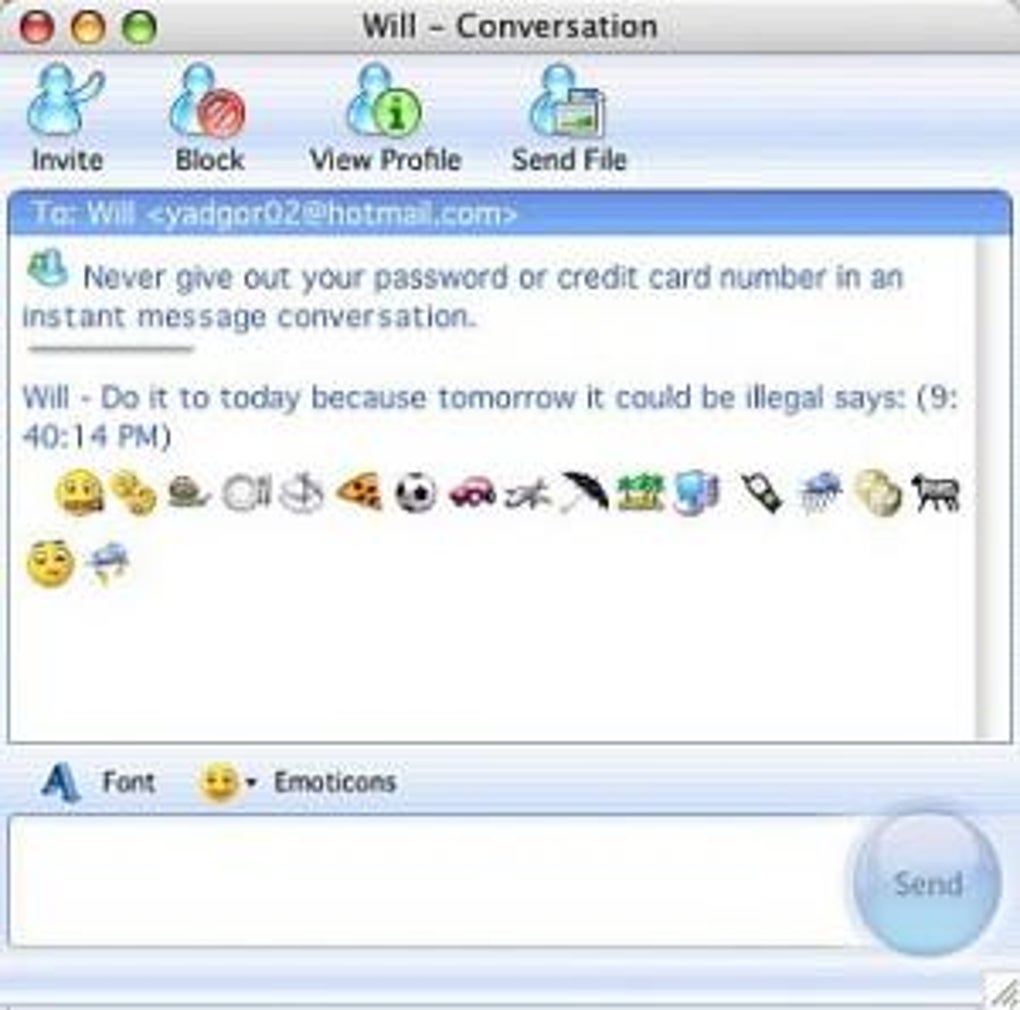
MSN Messenger Patch ist ein kompaktes Erweiterungspaket, das dem klassischen Microsoft Instant Messenger‑Client neues visuelles Leben einhaucht. Während der ursprüngliche MSN Messenger (später umbenannt zu Windows Live Messenger) für seine Echtzeit‑Chat‑Funktionen gelobt wurde, litt er lange unter einer begrenzten Emoticon‑Bibliothek, die nicht mit den Erwartungen der Nutzer Schritt hielt. Der Patch behebt dieses Manko, indem er eine große Sammlung neuer Smiley‑Gesichter, ausdrucksstarker Symbole und sogar einiger eigens vom Entwickler gestalteter Designs bündelt.
Obwohl der ursprüngliche Entwickler den offiziellen Support eingestellt hat, ist das Paket über renommierte Drittanbieter‑Seiten wie Softonic weiterhin zum Download verfügbar, sodass nostalgische Nutzer ein reichhaltigeres Chat‑Erlebnis genießen können. Der Patch funktioniert nicht nur in der Windows‑Version von MSN Messenger, sondern erweitert seine Funktionalität auch auf die Mac‑Variante und schließt Lücken, in denen die PC‑exklusiven Emoticons zuvor fehlten. Durch die Installation dieses leichten Add‑Ons erhalten Nutzer sofort ein breiteres emotionales Vokabular, das Gespräche persönlicher und ansprechender macht.
Da der Patch ein einfacher Dateiaustausch und kein vollständiger Software‑Rewrite ist, bleibt er leichtgewichtig, schnell zu installieren und greift nicht in den Kern‑Messenger‑Client ein. Das macht ihn zu einer idealen Lösung für alle, die ein altes Chat‑Programm wiederbeleben wollen, ohne die Systemleistung oder Sicherheit zu beeinträchtigen.
Key Features & Benefits
- Extensive Emoticon Library: Over 200 new emoticons ranging from classic smiley faces to themed icons such as holiday, sports, and pop‑culture symbols.
- Cross‑Platform Support: Works on both Windows (XP, Vista, 7) and Mac OS X (10.2.8‑10.3.9) versions of MSN Messenger, ensuring a uniform experience across devices.
- Original Designer Emojis: Includes a set of unique, hand‑drawn emoticons that are not found in any other messenger client.
- Seamless Integration: Installs directly into the existing Messenger folder, requiring no additional runtime or third‑party libraries.
- Lightweight Footprint: The entire patch package is under 5 MB, keeping the Messenger installation lean and fast.
- Secure Download: Distributed via reputable mirrors with SHA‑256 checksums to verify file integrity.
- Free of Charge: No hidden fees or subscription models; the patch is completely free for personal use.
- Easy Reversal: Users can revert to the original emoticon set by simply restoring the backup files created during installation.
The benefits of adding this patch go beyond visual flair. Modern emoticons help convey tone, reduce misunderstandings, and make text‑based communication feel more natural. For longtime MSN Messenger fans, the patch revitalizes a beloved platform, encouraging continued use or even a nostalgic return. Moreover, because the emoticon files are stored locally, there’s no reliance on external servers, which improves privacy and ensures the icons are always available, even offline.
Installation & Compatibility
Step‑by‑Step Installation Guide
- Download the Patch: Visit the Softonic download page, click the “Download” button, and save the
MSNMessengerPatch.zipfile to a convenient location. - Verify Integrity (Optional but Recommended): Compare the provided SHA‑256 checksum with the one generated by your system (use
certutil -hashfileon Windows orshasum -a 256on macOS). - Extract the Archive: Right‑click the zip file and select “Extract All” (Windows) or double‑click to unpack (macOS). You should see a folder containing
patch.exe(Windows) orpatch.command(Mac) along with the new emoticon image files. - Backup Existing Emoticons: Before running the patch, copy the original
Emoticonsfolder from your Messenger installation directory (C:\Program Files\MSN Messenger\Emoticonson Windows or/Applications/MSN Messenger.app/Contents/Resources/Emoticonson Mac) to a safe location. - Run the Installer: Double‑click
patch.exe(Windows) orpatch.command(Mac). Follow the on‑screen prompts; the installer will automatically replace the old emoticon files with the new set. - Restart MSN Messenger: Close any open Messenger windows and launch the client again. The new emoticons should appear in the emoticon picker and be usable in chats.
- Troubleshoot (If Needed): If the new icons do not appear, ensure that the Messenger version matches the patch requirements and that the backup folder has not been overwritten.
Compatibility Details
The MSN Messenger Patch has been tested on the following operating systems:
- Windows: XP Service Pack 2 and later, Windows Vista, Windows 7 (32‑bit and 64‑bit). The patch does not officially support Windows 8, 10, or 11, though many users report success when running in compatibility mode.
- macOS: Mac OS X 10.2.8 through 10.3.9. The patch leverages the same file structure used by the legacy Mac Messenger client, making it a perfect fit for those older systems.
Because the patch modifies only static image resources, it does not interfere with core Messenger functionalities such as message routing, file transfers, or presence detection. Users on unsupported OS versions can still attempt a manual copy of the emoticon files, but full integration cannot be guaranteed.
Pros, Cons & Frequently Asked Questions
Pros
- Massive increase in emoticon variety without affecting performance.
- Free, no hidden costs or ads.
- Simple installation process with automatic backup.
- Works on both Windows and legacy Mac versions of MSN Messenger.
- Original designer emoticons add a unique flair.
Cons
- Developer support has ended; no official updates or bug fixes.
- Not compatible with the latest Windows 10/11 versions without compatibility tweaks.
- Limited to the classic MSN Messenger client; does not work with newer Microsoft chat platforms.
- Installation requires manual backup for safety.
FAQ
Is the MSN Messenger Patch safe to download?
Yes. The patch is distributed through well‑known mirrors and includes a SHA‑256 checksum so you can verify that the file has not been tampered with. Always download from reputable sources and run a quick antivirus scan before installing.
Can I use the patch on Windows 10 or 11?
The patch was designed for Windows XP‑7. While it is not officially supported on Windows 10/11, many users have reported success by running the installer in Compatibility Mode (set to Windows XP SP3). However, you may encounter occasional glitches.
Will the patch affect my existing chat history?
No. The patch only replaces image files located in the Emoticons folder. Your chat logs, contacts, and settings remain untouched. The installer also creates a backup of the original emoticon folder for easy restoration.
Do I need an internet connection after installation?
No. All emoticon assets are stored locally on your computer. Once the patch is installed, you can use the new icons offline without any additional downloads.
How do I uninstall the patch if I don’t like it?
Simply restore the original Emoticons folder you backed up before running the installer. Delete the new emoticon files and replace them with the saved originals, then restart MSN Messenger.
Conclusion & Call to Action
MSN Messenger remains a nostalgic piece of internet history, and the MSN Messenger Patch offers a straightforward way to modernize its visual language without compromising the original experience. By adding hundreds of fresh emoticons, including exclusive designer icons, the patch turns ordinary text conversations into richer, more expressive exchanges. Although the tool is no longer officially supported, its lightweight nature, cross‑platform compatibility, and secure distribution make it a safe and valuable addition for anyone looking to revive an old chat client. If you’re ready to give your classic messenger a fresh look, simply download the patch, follow the easy installation steps, and enjoy a broader palette of emotions in every chat.
Ready to upgrade? Free download now and start chatting with style!
The MSN Messenger Patch successfully expands the emoticon library, runs smoothly on supported Windows and Mac versions, and respects user privacy by keeping assets local. Its only drawback is the lack of ongoing developer support, which may affect future OS compatibility.
- Pros: Large emoticon set, free, easy install, cross‑platform.
- Cons: No official updates, limited to legacy Messenger.







